Focus
Usage
Focus - CLI Example
metrical shape focus [OPTIONS] --component <COMPONENT> <INPUT_PLEX> <SHAPED_PLEX>
Focus - Manifest Example
command = "shape-focus"
input-plex = "{{calibrate-stage.results}}"
component = "/rs/imu"
shaped-plex = "{{auto}}"
Purpose
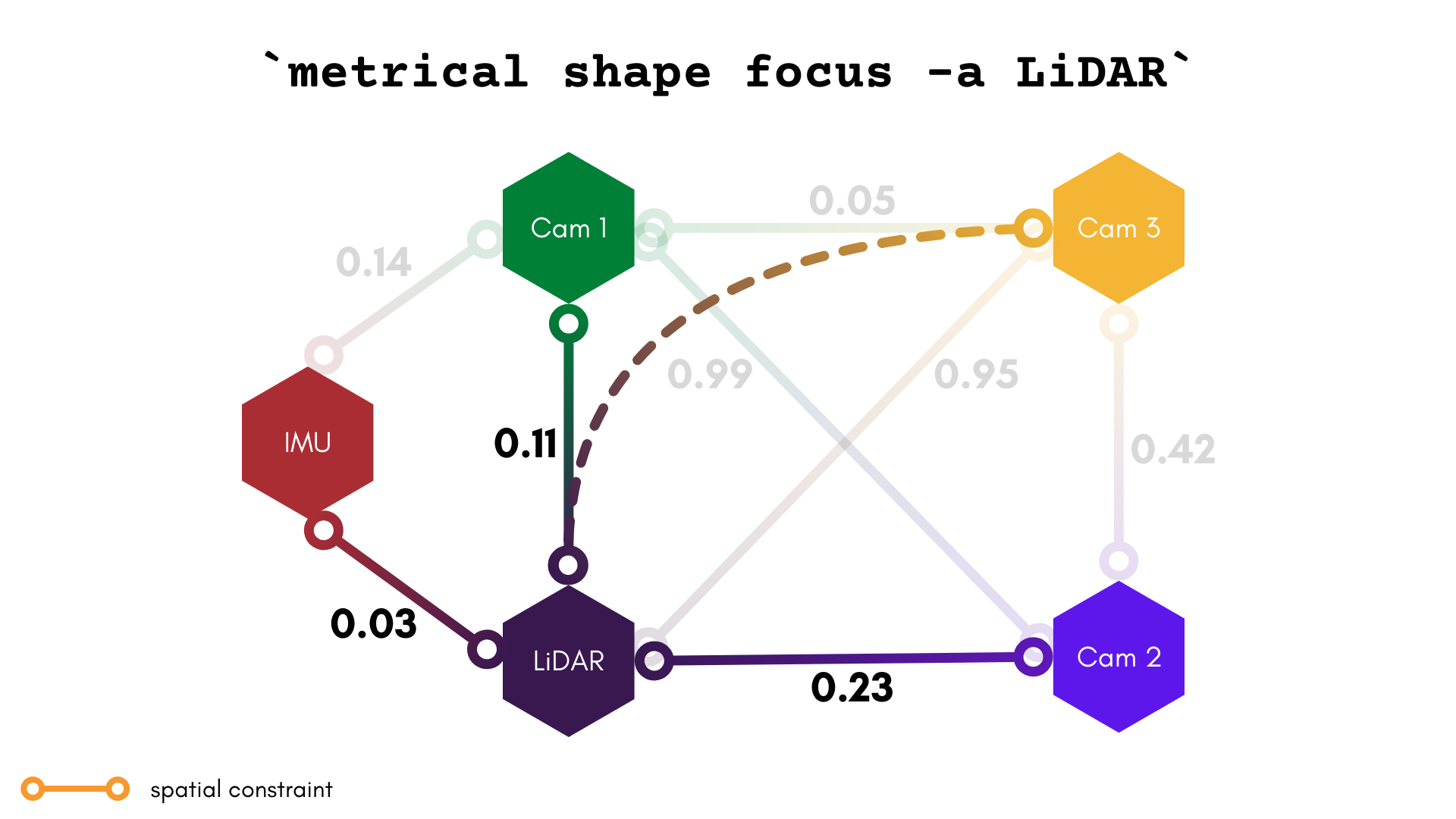
This Shape command creates a plex in which all components are spatially connected to only one origin component/object space ID. In other words, one component acts as a "focus", with spatial constraints to all other components.
Notice that this command will compose two or more spatial constraints to achieve the optimal "path" between two components in space.
Examples
Create a plex focused around component ir_one
metrical shape focus --component ir_one $RESULTS $SHAPED_PLEX
Arguments
[INPUT_PLEX]
The path to the input plex. This can be a MetriCal Results MCAP or a plex JSON.
[SHAPED_PLEX]
The output file path for this shaped plex.
Options
Global Arguments
As with every command, all global arguments are supported (though not all may be used).
-a, --component [COMPONENT]
The component around which this plex is focused.