Minimum Spanning Tree
Usage
metrical shape mst [OPTIONS] <INPUT_PLEX> <SHAPED_PLEX>
command = "shape-mst"
input-plex = "{{calibrate-stage.results}}"
shaped-plex = "{{auto}}"
Purpose
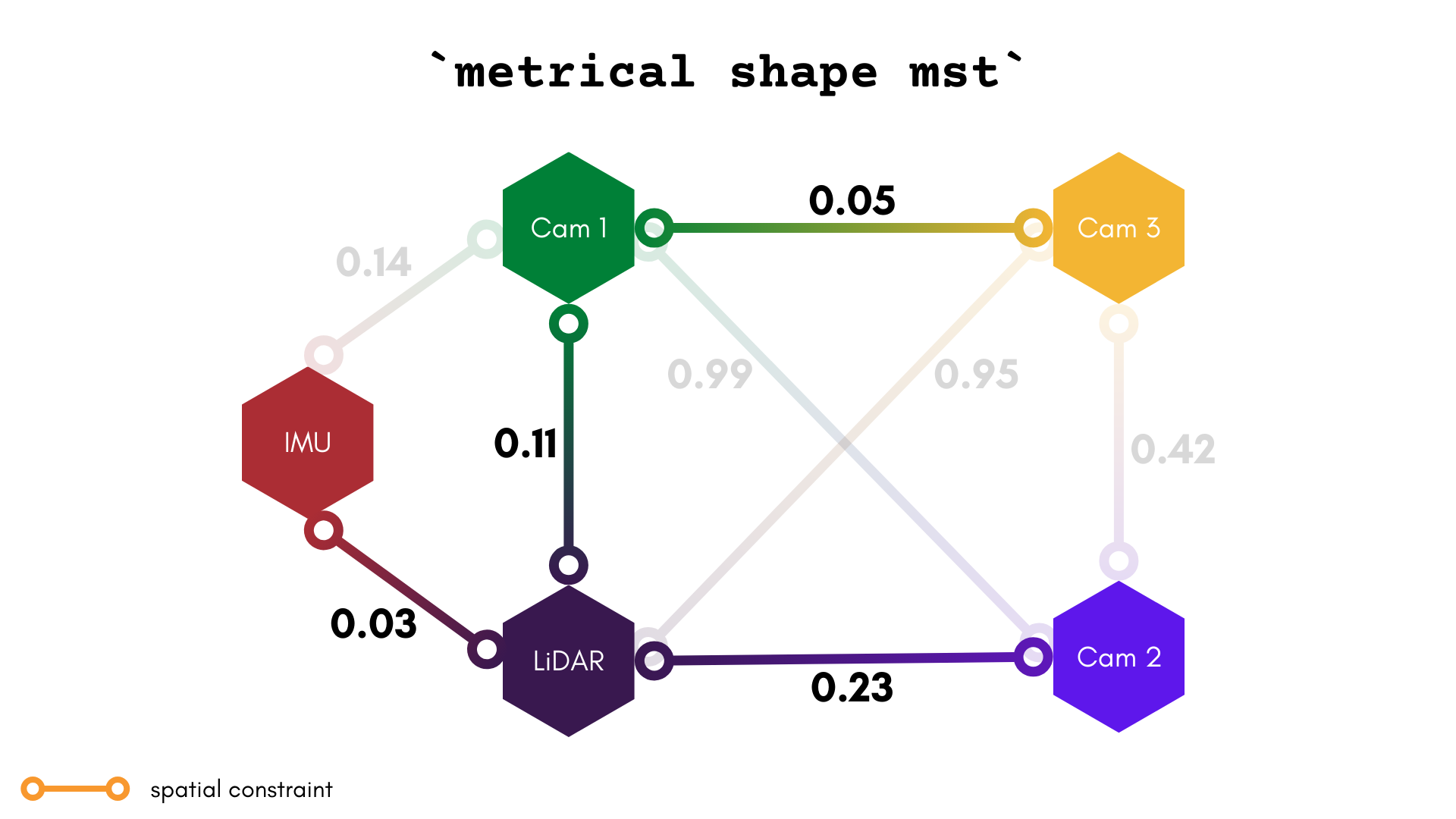
As defined by Wikipedia, a minimum spanning tree (MST) "is a subset of the edges of a connected, edge-weighted undirected graph that connects all the vertices together, without any cycles and with the minimum possible total edge weight". In other words, it's the set of connections with the smallest weight that still connects all of the components together.
In the case of a plex's spatial constraints, the "weights" for our MST search are the determinants of the covariance of the extrinsic. This is a good measure of how well-constrained a component is to its neighbors.
Examples
Create a minimum spanning tree plex
metrical shape mst $RESULTS $SHAPED_PLEX
Arguments
[INPUT_PLEX]
The path to the input plex. This can be a MetriCal Results MCAP or a plex JSON.
[SHAPED_PLEX]
The output file path for this shaped plex.
Options
Global Arguments
As with every command, all global arguments are supported (though not all may be used).