Hand-Eye Calibration Guide
Hand-eye calibrations refer to solving the position of a sensor either in relation to the base of a robotic arm, or in relation to its end effector. Which it is depends on what relation is fixed:
- Is your sensor position fixed with respect to the end effector? That's eye-in-hand.
- Is your sensor position fixed with respect to the base? That's eye-to-hand.
Isn't terminology great? It's easier to show in a picture:
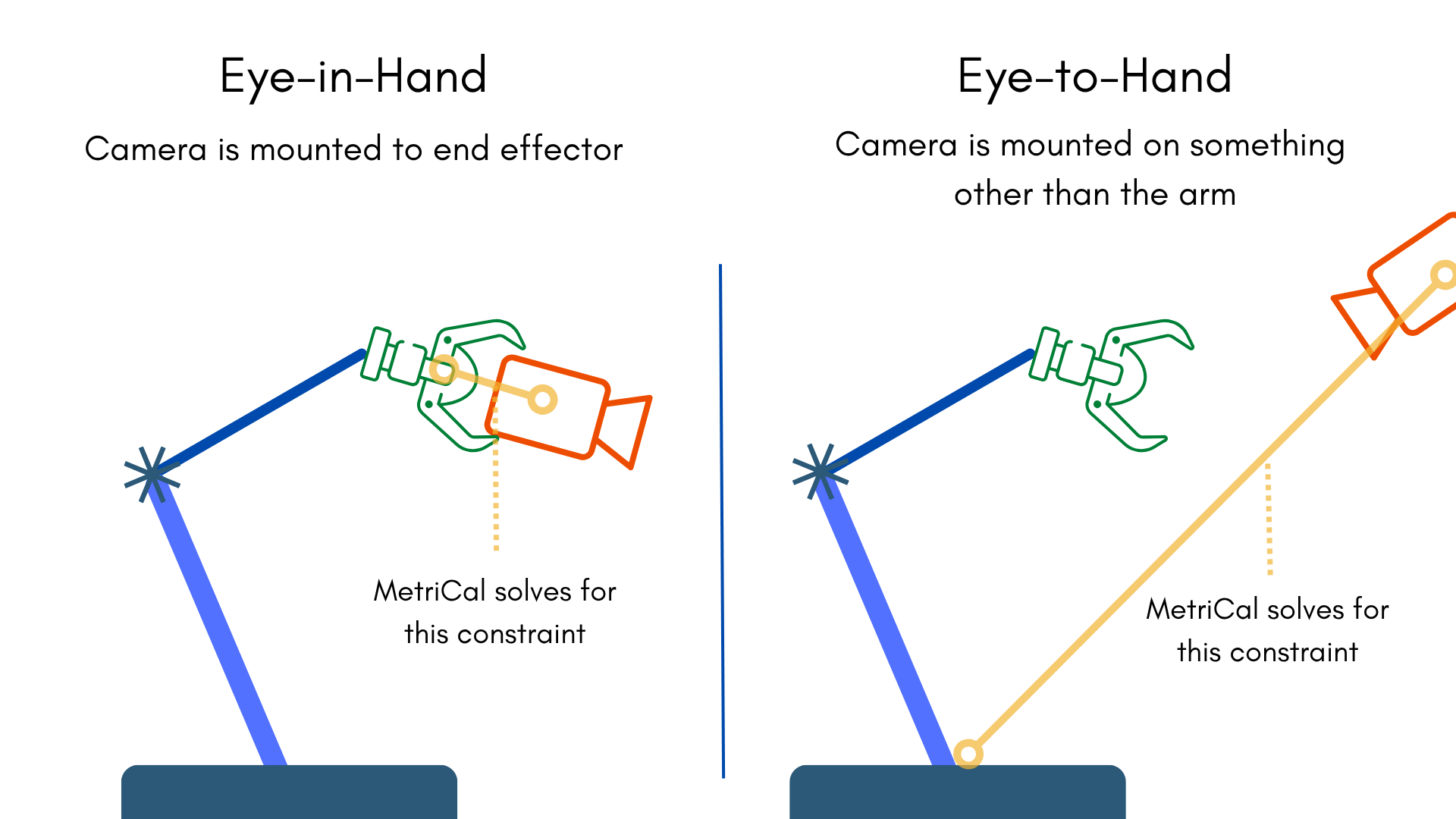
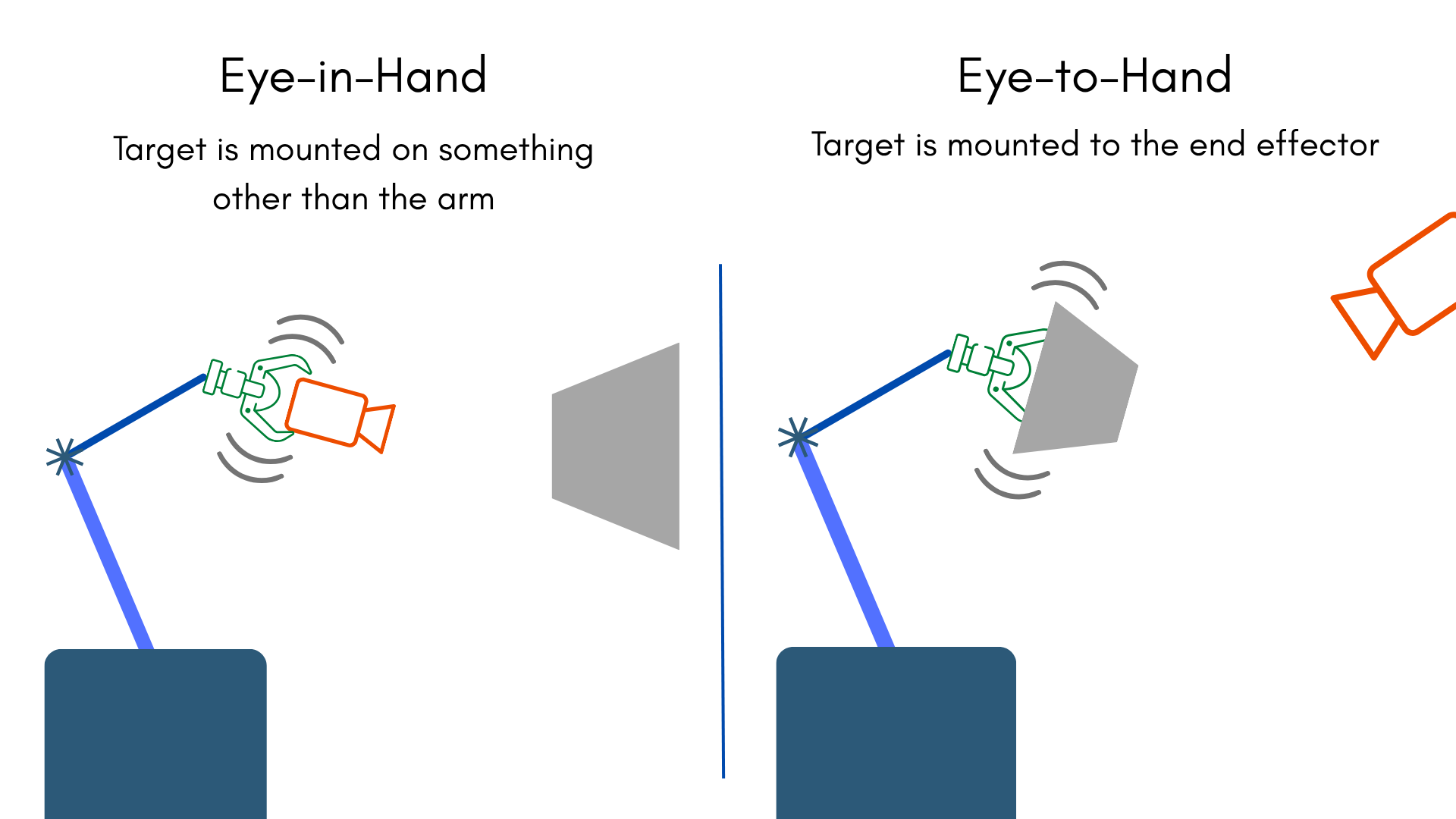
For the purposes of calibration, we'll need to mount a target in the right place in order to get sensible results. If you mounted the camera for eye-in-hand, your target will be stationary; if you're calibrating eye-to-hand, your target will be attached to your end effector. That's really all there is to it; MetriCal will figure out the rest! We'll see how using the guide.
Example Datasets and Manifests
We've synthesized two datasets representing eye-in-hand and eye-to-hand calibrations that you can use to test out MetriCal. Just like any motion-based calibration, robot arm calibration relies on excitement in all 6 degrees of freedom to fully constrain. We recommend displaying the datasets first to get a sense of what a good capture entails for either method.
For the sake of brevity, we'll only be reviewing the manifest and system specification for the eye-in-hand dataset. Know that there are only a few small differences between the two runs, which we'll point out when they happen.
Eye-in-Hand Dataset
This dataset features:
- Observations as an MCAP
- One color camera, synthesized
- One transform tree, representing the robotic arm motion
- One AprilGrid-style target on a stationary mount
Eye-to-Hand Dataset
This dataset features:
- Observations as an MCAP
- One color camera, synthesized
- One transform tree, representing the robotic arm motion
- One AprilGrid-style target mounted on the end effector
The Manifest
[project]
name = "Eye-In-Hand Guide"
metrical-version = "18.0.2"
version = "0.1.0"
description = "Manifest for running MetriCal on an eye-in-hand configuration"
workspace = "metrical-results"

[project.variables.dir]
value = "."

[stages.create]
command = "plex-new"
output-plex = "{{auto}}"

[stages.learn]
command = "plex-learn"
input-plex = "{{create.output-plex}}"
dataset = "{{variables.dir}}/eye_in_hand_guide_observations.mcap"
system-specification = "{{variables.dir}}/eye_in_hand_guide_spec.json"
topic-to-model = [["/camera", "no-distortion"], ["/tf", "transform-tree"]]
output-plex = "{{auto}}"

[stages.calibrate]
command = "calibrate"
dataset = "{{variables.dir}}/eye_in_hand_guide_observations.mcap"
input-plex = "{{learn.output-plex}}"
input-object-space = "{{variables.dir}}/eye_in_hand_guide_objects.json"
camera-motion-threshold = "disabled"
lidar-motion-threshold = "disabled"
optimization-profile = "standard"
... # ...more options...
render = false
detections = "{{auto}}"
results = "{{auto}}"
Let's take a look at some of the important details of this manifest:
- We see a new file on this run: the system specification. While a plex is a moment-by-moment snapshot of the system calibration, a system specification describes traits common to all systems. We'll analyze this below.
- We also see a new model type:
transform-tree. This is what it sounds like: a series of transforms related by parent-child connections. We'll use this to track the robot arm's motion over time. - Our second stage, the Calibrate command, has completely disabled the camera motion filter. We'll need all the motion to pair camera frames to robot arm poses.
System Specification
{

    "transform_tree_frames": {
        "/tf": {
            "base_frame": "base_link",
            "tool_frame": "tool0",
            "mount_type": "eye-in-hand"
        }
    }
    ... // Other spec items
}
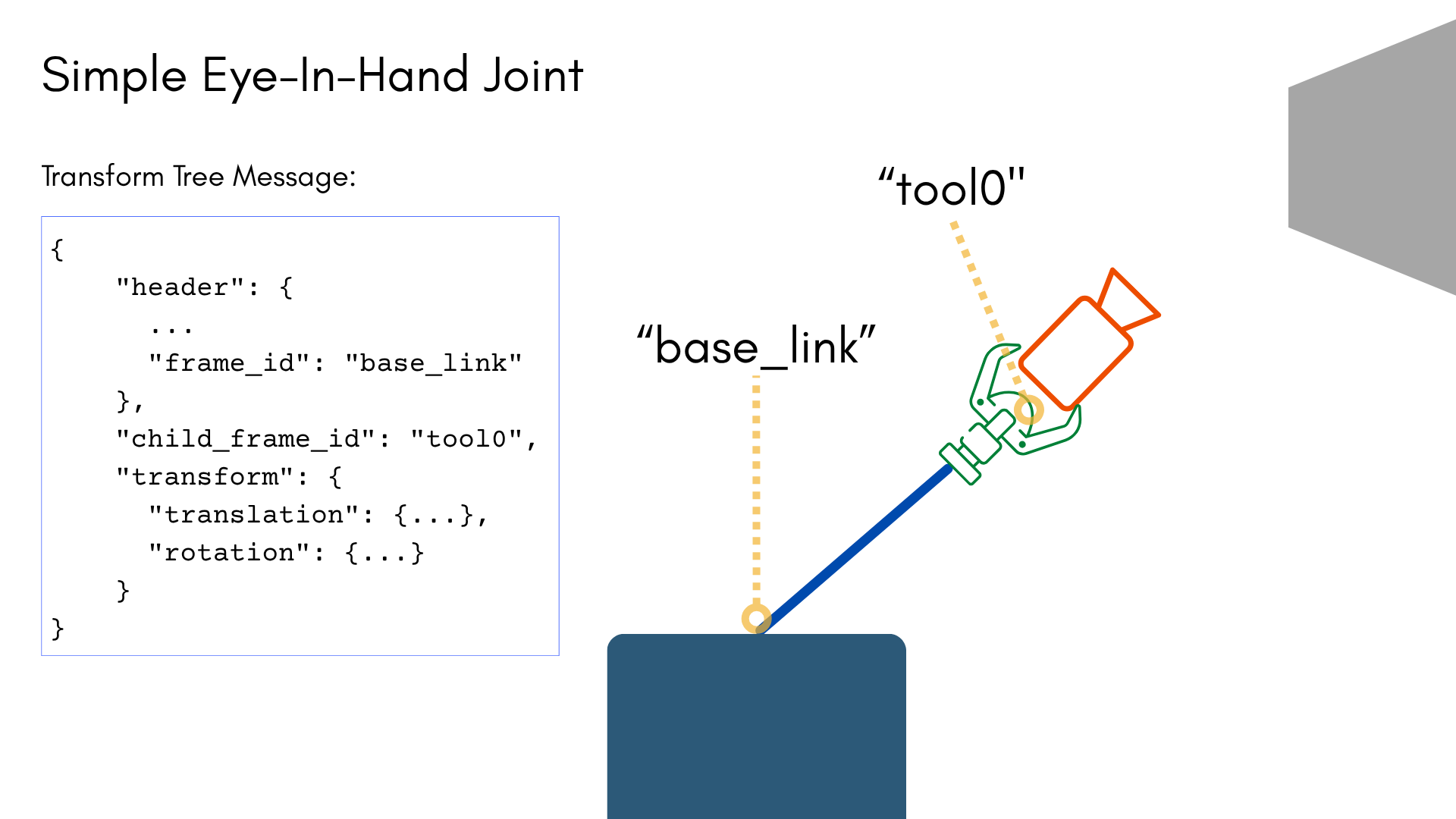
The system specification describes conditions that are always true across every system. For our eye-in-hand example, we use the system spec to specify the type of relation we expect between the base (a named frame in the transform tree message), end effector (another named frame in the transform tree message), and every other sensor in the rig. In this case, we're saying that
- The "base_link" frame is our base frame
- The "tool0" frame is our tool frame, and
- The calibration will be eye-in-hand: we expect all of our sensors for this calibration to be mounted to the end effector.
Running the Manifest
With a copy of the dataset downloaded and the manifest file created, you should be ready to roll:
metrical run eye_in_hand_manifest.toml
When the run finishes, you'll be left with three artifacts:
output-plex.json: The learned plex from the first stage.report.html: a human-readable summary of the calibration run. Everything in the report is also logged to your console in realtime during the calibration. You can learn more about interpreting the report here.results.mcap: a file containing the final calibration and various other metrics. You can learn more about results here and about manipulating your results usingshapecommands here.
Extraction of Results
Hand-eye extrinsic results depend on the type of calibration that was specified. In either case, the extrinsic will be specified as connecting a sensor and the transform tree topic.
- Eye-in-hand: the extrinsics between a sensor and the end effector frame.
- Eye-to-hand: the extrinsics between a sensor and the base frame.
Extract this extrinsic the same way you would any other spatial constraint in the plex.
Rendering Results
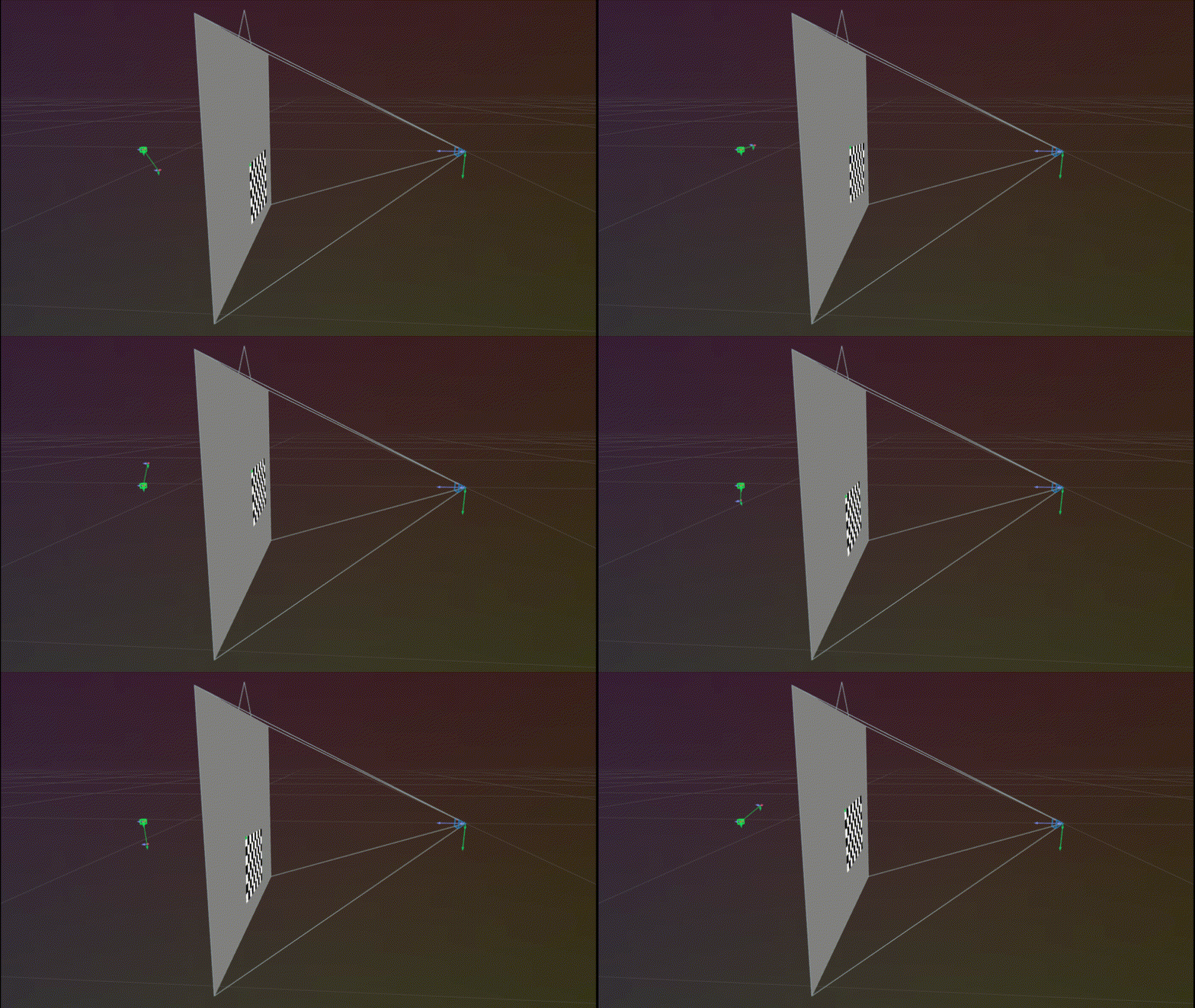
MetriCal is smart enough to fix the base as the stationary frame when running results through the
display command. Here's what you should see when running
our guide datasets:
Eye-in-hand Display
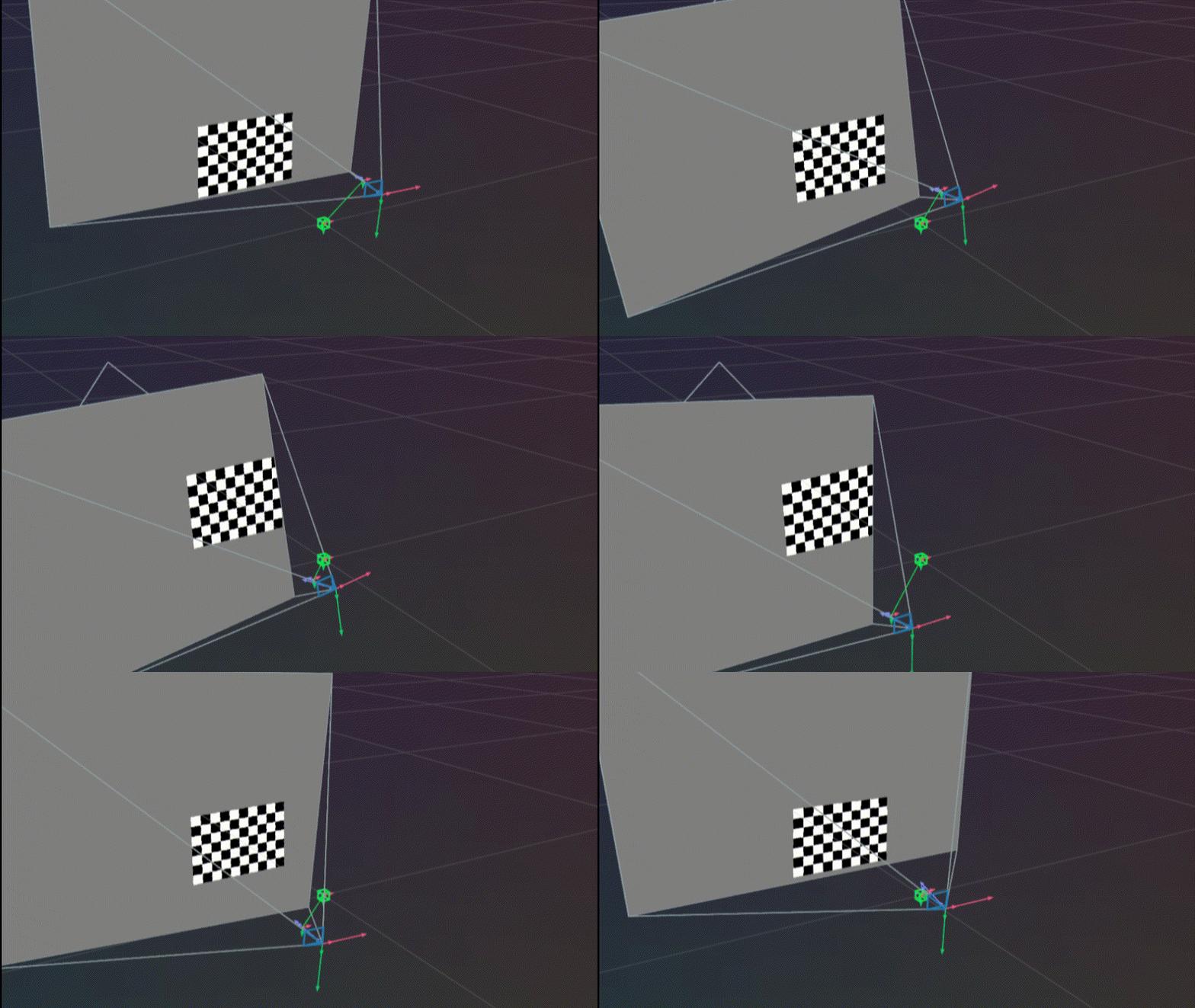
Eye-to-hand Display
Troubleshooting
If you encounter errors during calibration, please refer to our Errors and Troubleshooting documentation.
Remember that all measurements for your targets should be in meters, and you should ensure visibility of as much of the target as possible when collecting data.