Temporal Constraints
Time is a tricky thing in perception, but of crucial importance to get right. We've developed our temporal constraint to be flexible enough to describe many of the most common timing scenarios between components.
| Field | Type | Description |
|---|---|---|
| Synchronization | A synchronization object | The strategy to achieve known synchronization between these two components in the Plex. |
| Resolution | float | The resolution to which synchronization should be applied. |
| Confidence | float | The confidence of a synchronization measurement from [0.0, 1.0], derived from normalized cross-correlation (NOT a probability). |
| From | UUID | The UUID of the component that the synchronization strategy must be applied to. |
| To | UUID | The UUID of the component whose clock we synchronize into by applying our synchronization strategy (to the from component). |
The Problem With Clocks
In the world of hardware, measuring time can be a challenge. Two clocks might differ in several different ways; without taking these nuances into account, many higher-level perception tasks can fail.
Let's take the example below: two different clocks, possibly from two different hosts, that might be informing separate components in our plex.
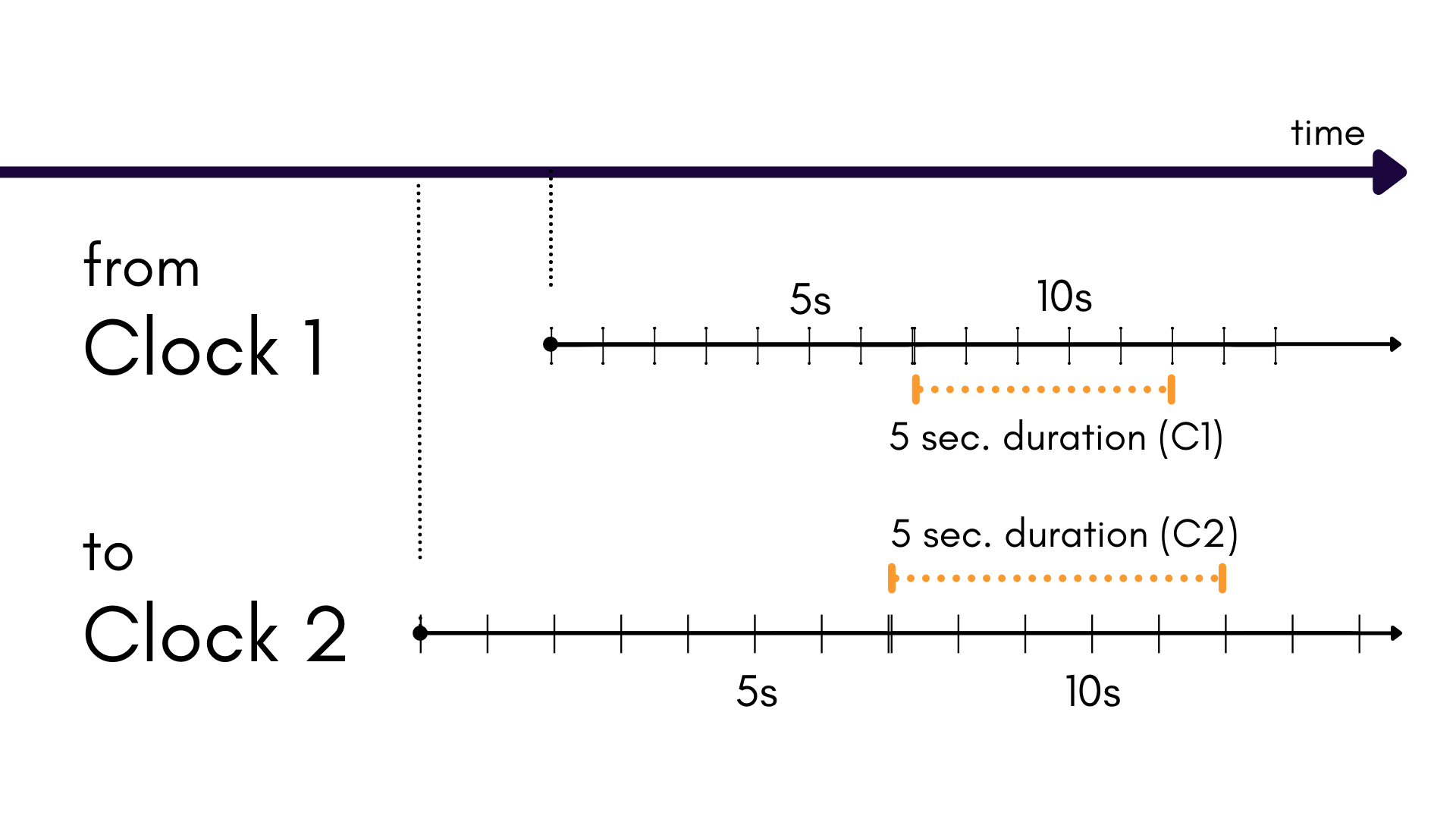
Temporal constraints can balance these different clocks across a plex in order to make sure time confusion never occurs. It achieves this through Synchronization.
Synchronization
Synchronization describes the following relationship between two clocks:
| Field | Type | Description |
|---|---|---|
| offset | Integer | The epoch offset between two clocks, in units of integer nanoseconds. |
| skew | Integer | The scale offset between two clocks. Unitless. |
Offset
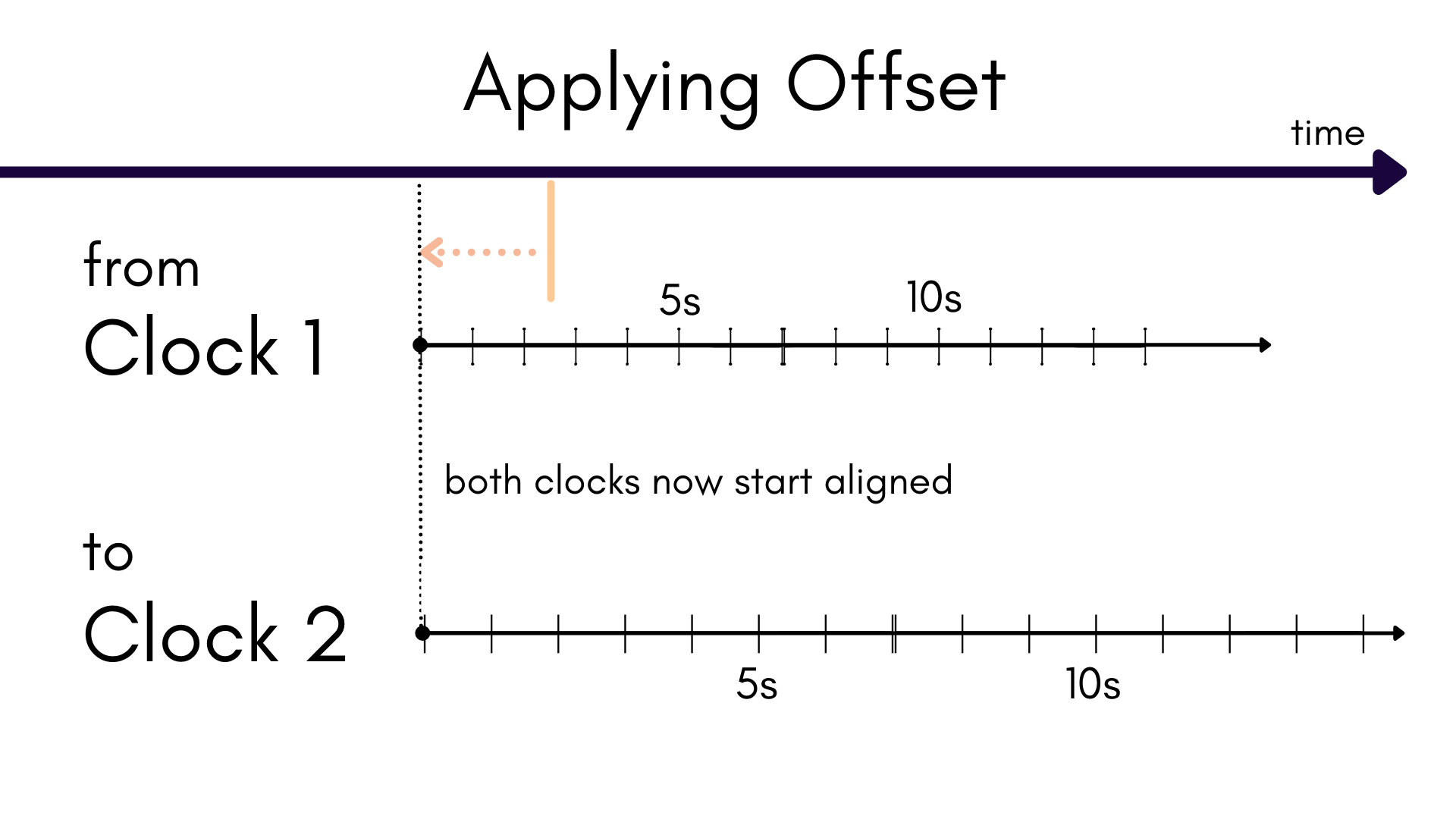
Unless two components are using the same clock, there's a chance that they are offset in time. This
means that time t in one clock does not align with time t in the other. Fixing this is rather
simple: just shift the time values in the from clock by the offset parameter until their two t
times match.
Skew
Skew compensates for the difference in the duration of a time increment between two clocks. In other words, a second in one clock might be a different length than a second in another! These differences can be very subtle, but they will result in some unwanted drift.
Applying skew to a from clock's timestamps will match the duration of a second to that of the
to clock.
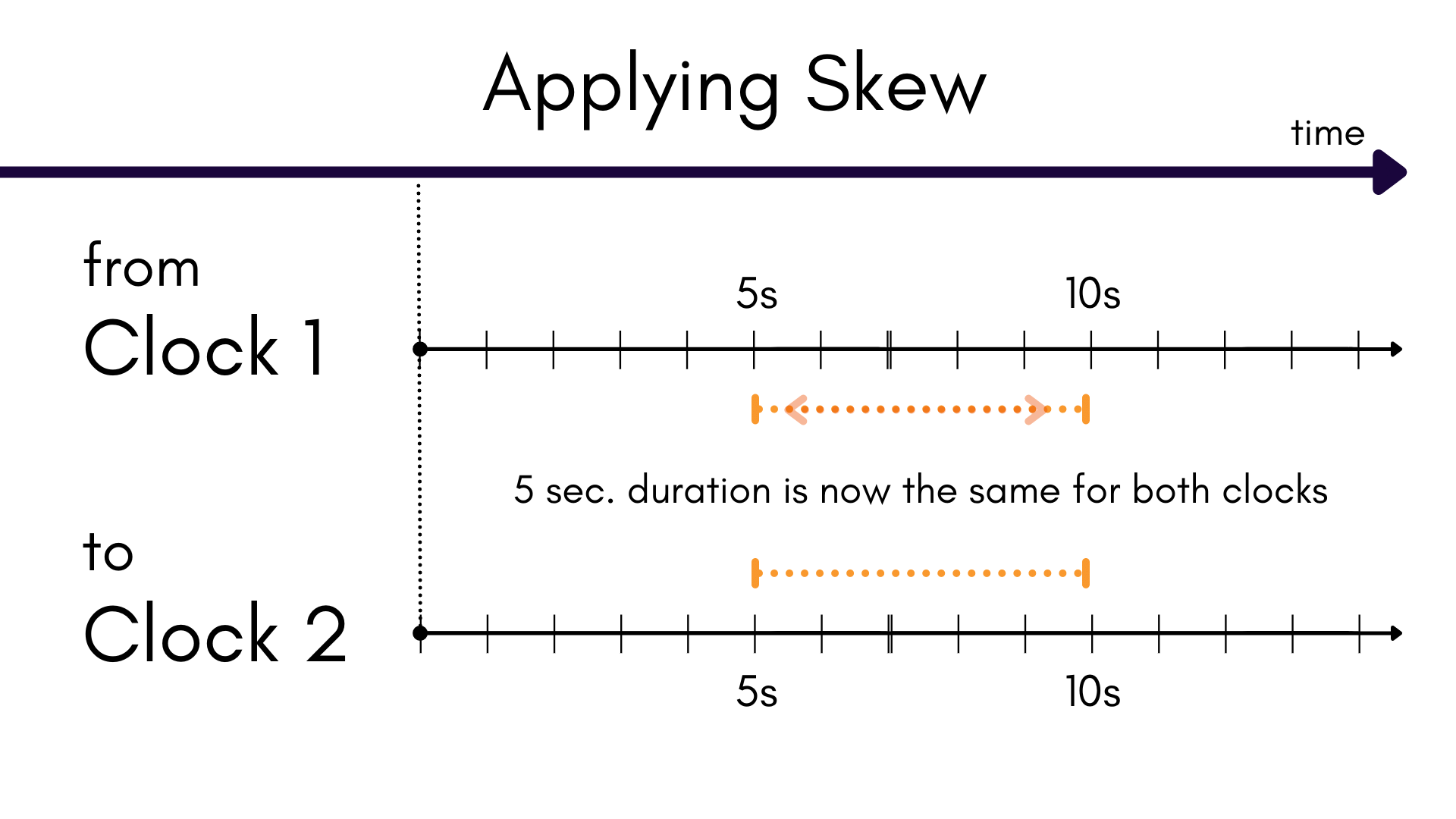
Between skew and offset, we have the tools we need to synchronize time between two clocks! Note
that components that use the same host clock will need no synchronization; their skew and offset
remains 0.0.
MetriCal has adopted the terminology from this paper from the University of New Hampshire's InterOperability Laboratory.
Solving for Synchronization
MetriCal is capable of analyzing the constant offset component of a temopral constraint's synchronization. All runs of MetriCal will run this analysis and produce a Synchronization (SY) chart section in the report.
Since temporal constraints form fully connected graphs between all components, MetriCal will create a Minimum Spanning Tree (MST) of the temporal constraints for your analysis. This is what is output in SY-001.
However, MetriCal will not apply these offsets to your calibration unless you specify it by
setting the time-sync flag of the calibrate command.
All constraints will have a confidence assigned to their offset calculation; constraints with low
confidence will not be applied regardless of the time-sync flag.
Resolution
Resolution helps MetriCal identify observations that are meant to be synchronized between two components. Resolution is used after applying Synchronization terms.
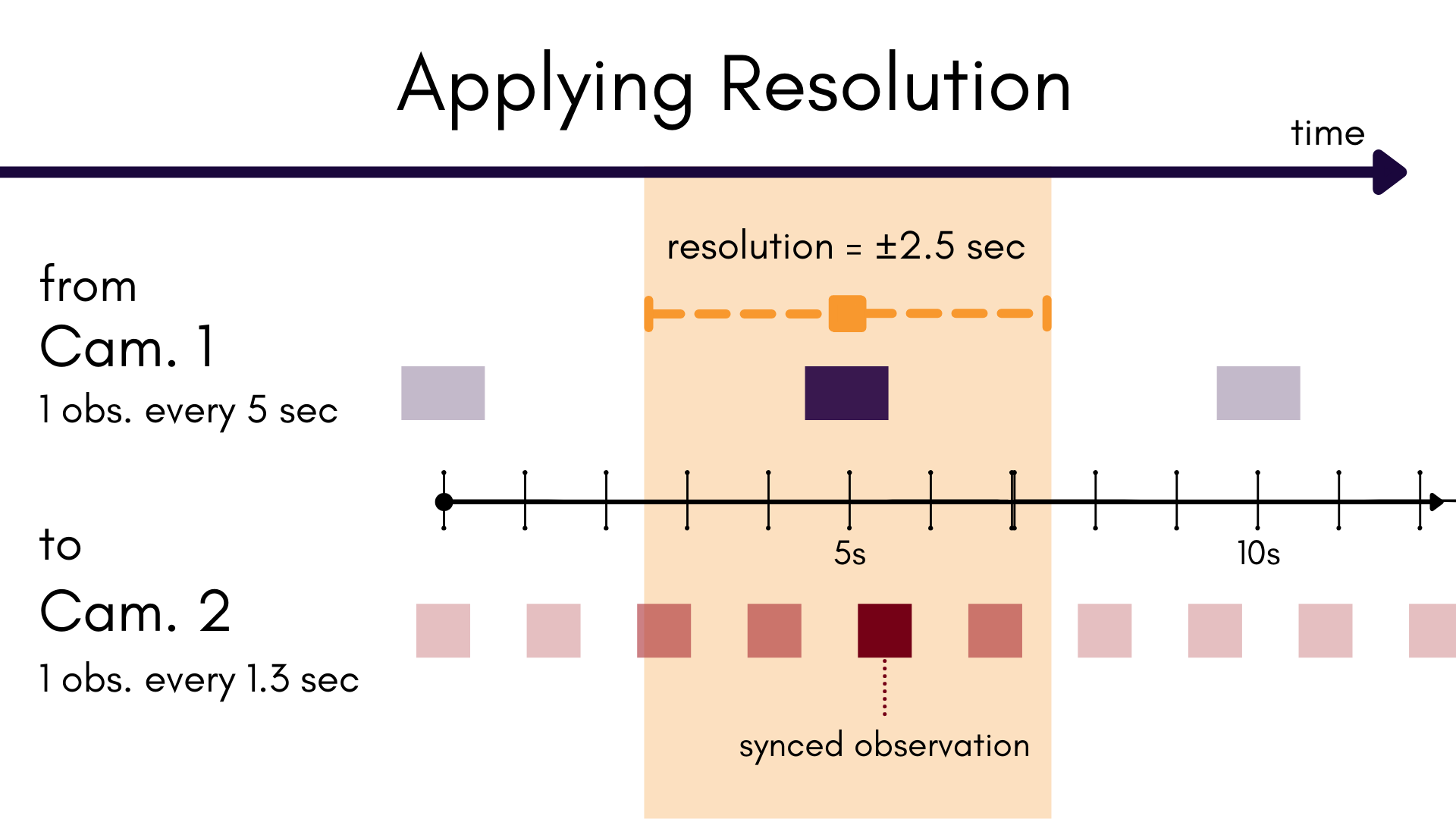
Say we have two camera components. The first is producing one image every 5 seconds; the second produces a new image every 1.3 seconds. We want to pair up observations from the two separate streams that we know are uniquely synced in time as a one-to-one set.
Our resolution tells MetriCal how far from an observation we want to search for a synced pair. In
the case of our first camera, we know that one new frame comes every 5 seconds. This means that
there's a span of 2.5 seconds on either side of this image that could hold a matching observation
from our second camera. So, we set resolution to 2.5 * 1e9 (for nanoseconds).
MetriCal will then look for any synced observation candidates in camera two and find the observation that matches most closely in time to the image in camera one. If one is confident that two observation streams are in-sync, one may set the resolution to be fairly small. However, given the way some components can behave, it's generally not necessary or recommended.
MetriCal assumes that components sharing the same clock have direct temporal constraints. In other words, MetriCal will treat synchronization differently if it has to "hop" from components A -> B -> C in order to create a synchronized group than it would if there was just a constraint between A -> C.
Practically, you should never see this affect you in practice; MetriCal automatically handles temporal constraint creation and modification. Still, good to know for that one case.